Updating (and keeping updated) the Single Central Record (SCR) can take up a lot of precious time from business managers, admin and office staff working in education. Details can change from day-to-day, especially in large Multi-Academy Trusts. Volunteers and school visitors are in-and-out most days and it can be hard to keep track of which adults in school need which checks to comply with the SCR.
The SCR is often kept on spreadsheets which can get messy, complex, and have no cohesive visual overview. Multiple edits by multiple staff can affect how you keep one document up-to-date and synced.
What if we told you there was an answer to chaotic, badly colour-coded and out of date spreadsheets? Meet SAMpeople’s new Single Central Record module, available currently as an add on to SAMpeople.
Our new Single Central Record module provides a colourful overview with easy-to-read status tags to let you know which checks have been completed and which haven’t. Red means the check hasn’t been done yet and green is a quick highlight that the check is complete! The software also highlights any checks that are expiring against a staff member with a status tag warning that this is expiring. Employees with expiring checks will move to the top of the screen to be seen to first so that you can prioritise your actions. It couldn’t be easier to see which staff need which checks with fully customisable check requirements for each employee type, such as teacher, governors, and volunteers.
We know expiry dates can differ across different school and Trust policies; therefore, these are also fully customisable within the SCR module so you can create bespoke expiry dates for checks.
Sometimes, too much information can be overwhelming, especially when it isn’t needed at the time. Our SCR module provides a summary view and a detailed view to enable you to view quickly and easily. The summary view uses the coloured status tags to show you incomplete and complete checks and the detailed view provides more extensive check details that are required for Ofsted.
The employee types are then split down further into Teachers, Governors, Teaching Support, Volunteers, Contractors, and Agency staff. This means you can view employee types separately for ease and to also clearly see how the customisable employee type check requirements we have mentioned come into play! These can be customised in the settings, adding, and removing checks from employee types as required by education protocols.
With spreadsheets, all staff can go in and make edits which may not be necessary and can sometimes result in lost data from un-synced files. Within our new SCR module, you can set access rights for staff such as ‘Read-only’, ‘Full Access’ or ‘SCR Editor’. The SCR is then viewable, but only editable by chosen staff members. Staff with higher access can also build bespoke checks that may be relevant to your school, college or Trust policies. These can be customised with free text options and an employee drop down feature to mark checks as signed off by certain members of staff. This also means that the SCR can be adapted for the FE requirements of colleges. Custom checks and different role types can be created accordingly.
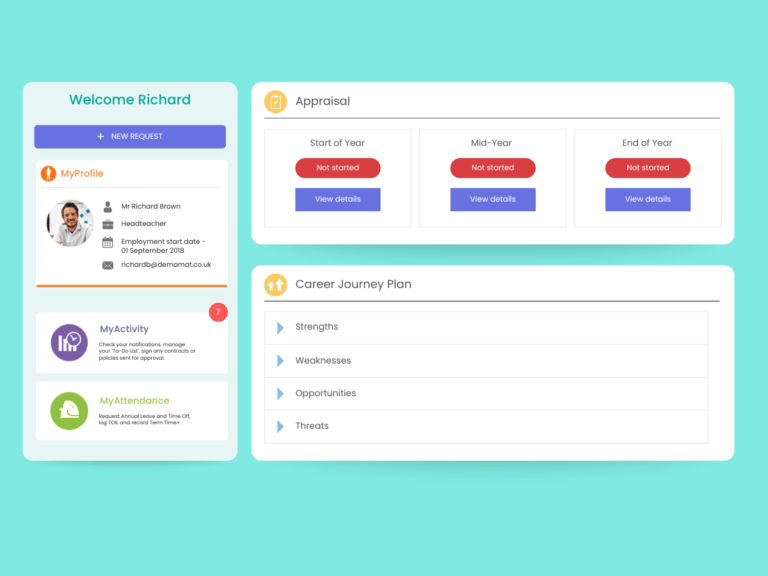
As our new SCR module is part of our HRIS SAMpeople, it automatically pulls through any checks and changes made in SAMpeople so you know the SCR module is also taking into account any day-to-day changes made in SAMpeople.
If you are interested in seeing our SCR in action and how it works with our HRIS, SAMpeople, request a demo of our software here.